A complete 7.5-second Star Wars trench-run clip, preloaded into TSPico’s 512 KiB SRAM, then played repeatedly from RAM. Requires a TS2068 and TSPico; tested player base uses firmware 1.00.
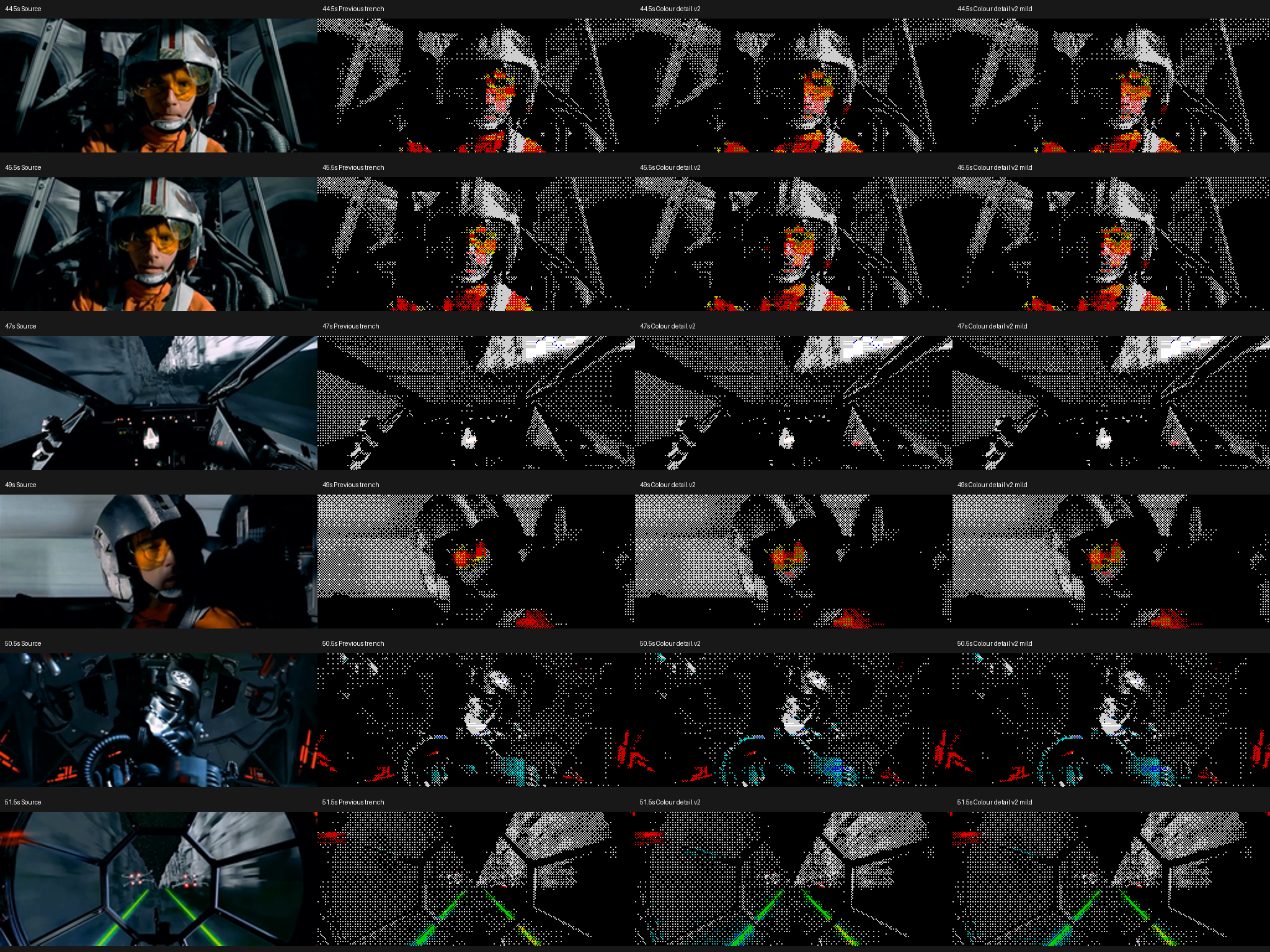
The revised conversion gives small colored highlights more influence while retaining neutral grays. This preview shows the encoded frames at the target cadence, not a hardware recording or a TSPico emulator.
Option 2: 232×98 active picture, 113 frames, 15 fps target. 8×1 extended color inside the 256×192 display. No audio.Full-width 12 fps preview and original-version comparisons
Already installed? Replace only SC512.TAP (or SW512.TAP for the original color version). The existing sample files are unchanged.
Extract the download and copy every file inside its TAP folder directly to /TAP/ on the SD card.
Power reset the TS2068 and TSPico with normal Flash-ROM startup.
Enter the commands below, choose option 1 or 2, and wait for all 512 KiB to load and verify.
SAVE "tpi:cd /"
LOAD "tpi:SC512.TAP"
LOAD ""
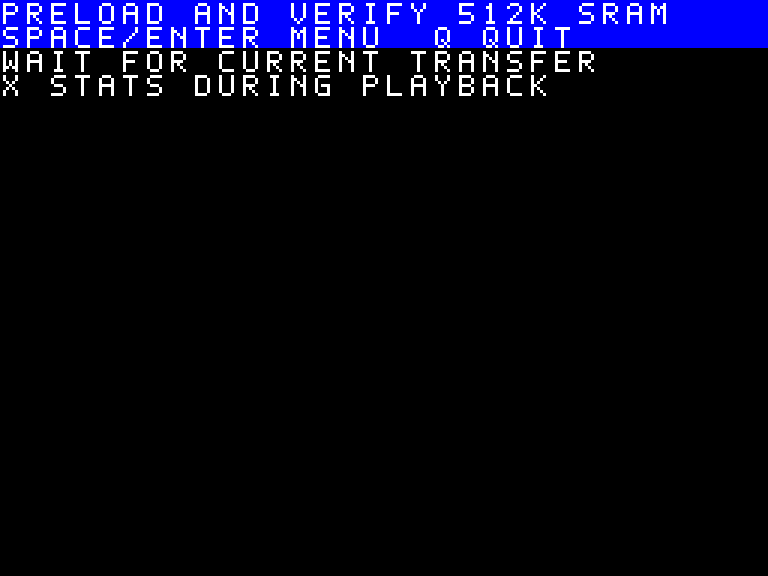
Space or Enter returns directly to the menu. Q quits by restoring Flash mapping and restarting normal ROM/BASIC startup. X shows playback counters; any key then returns to the menu. The loading screen shows these controls too. During loading, a request waits for the current transaction to finish safely. Selecting an option again reloads SRAM. There is no Space pause toggle in this revision.
Controls shown while loading
Versions and performance
Version / player
Option
Resolution
Frames
Target fps
Model fps
Original · SW512.TAP
1
256×108
90
12
11.89
Original · SW512.TAP
2
240×102
113
15
14.68
Colour Detail 2 · SC512.TAP
1
256×108
90
12
11.64
Colour Detail 2 · SC512.TAP
2
232×98
113
15
14.58
Both versions use the full source interval, 44.5–52.0 seconds. The 12 fps loop is nominally 7.5 seconds; 15 fps rounds to 113 frames and 7.533 seconds. Widescreen proportions are preserved approximately to integer pixels.
The original quantizer strongly suppresses false color in neutral surfaces, but loses some subtle helmet and cockpit detail. Colour Detail 2 gives genuine colored pixels extra weight and relaxes suppression locally, with up to 10% selective saturation. Its 15 fps window is slightly smaller because more color can require more delta data. No frames were silently removed to fit.
Model fps is not measured hardware fps. These averages cover two complete loops with strict instruction execution, access-driven memory selectors and an added 50 ms bank-response delay. The user reported successful hardware playback of the R3 base and good fast motion in the original trench version; no numeric physical fps result was supplied. Colour Detail 2 is model/native-decoder tested and awaits its own hardware report.
How it works
Preload once, loop from SRAM
Sixteen TAP volumes per option fill 64 pages of 8 KiB. The loader compares every page after writing it, then performs a final checksum and alias check. Playback performs no SD file reads.
MEMDOCK selects one of eight 64 KiB SRAM regions. The TS2068 F4/FF registers expose the needed DOCK chunk. Three HOME-RAM caches and mount-ahead scheduling prepare upcoming frame data while playback continues. Pico bank commands are still used during playback.
Fast paired-word deltas
A decoded extended-color screen has 6,144 bitmap bytes and 6,144 attribute bytes. Only changed pairs are stored: a two-byte destination plus two replacement bytes. A fixed Z80 kernel applies 64 patches per 256-byte block.
The entire next frame record must be cached before applying it. Every quantized frame and the last-to-first loop delta are checked exactly. Display writes remain sequential; this is not an atomic hardware page flip.
Why the pixels have gaps: ordered dithering
The gaps are intentional dark pixels, not missing positions or a lower-resolution display. Each 8×1 cell has only two colors, so the converter uses an 8×8 Bayer threshold pattern to distribute those colors and approximate photographic shades. Sparse light pixels against black suggest dark gray; warm mixtures approximate skin, though the palette has no native peach or brown.
The threshold pattern stays fixed in screen coordinates. Compared with new random noise every frame, this keeps unchanged regions stable, reduces flicker and unnecessary delta updates, and needs no extra Z80 dithering work: conversion happens offline. Moving detail can still shimmer as it crosses the pattern. The active image is separately scaled to fit the window; ordered dithering itself does not remove pixel positions.
Colour Detail 2 protects small source-colored highlights from losing the color-pair choice to surrounding gray. Broad neutral areas keep the original chroma penalty. Skin and tiny indicators still face the two-color-per-cell and limited-palette constraints.
Source and conversion tool
The source archive includes both players, both quantizers, the RAM format, a local-video converter, the original font and the TSVideoCodec ECM model. It needs Python, NumPy, Pillow, FFmpeg and sjasmplus. The supplied input movie is not included.
Not with the current upstream or the two public forks checked on October 31, 2026. TSRun supports TS2068 display modes and ordinary cartridge RAM, but those do not implement TSPico’s legacy FIFO, file services, MEMDOCK or eight-region 512 KiB SRAM. This page uses MP4 previews, not a claim of working browser TSPico emulation.